
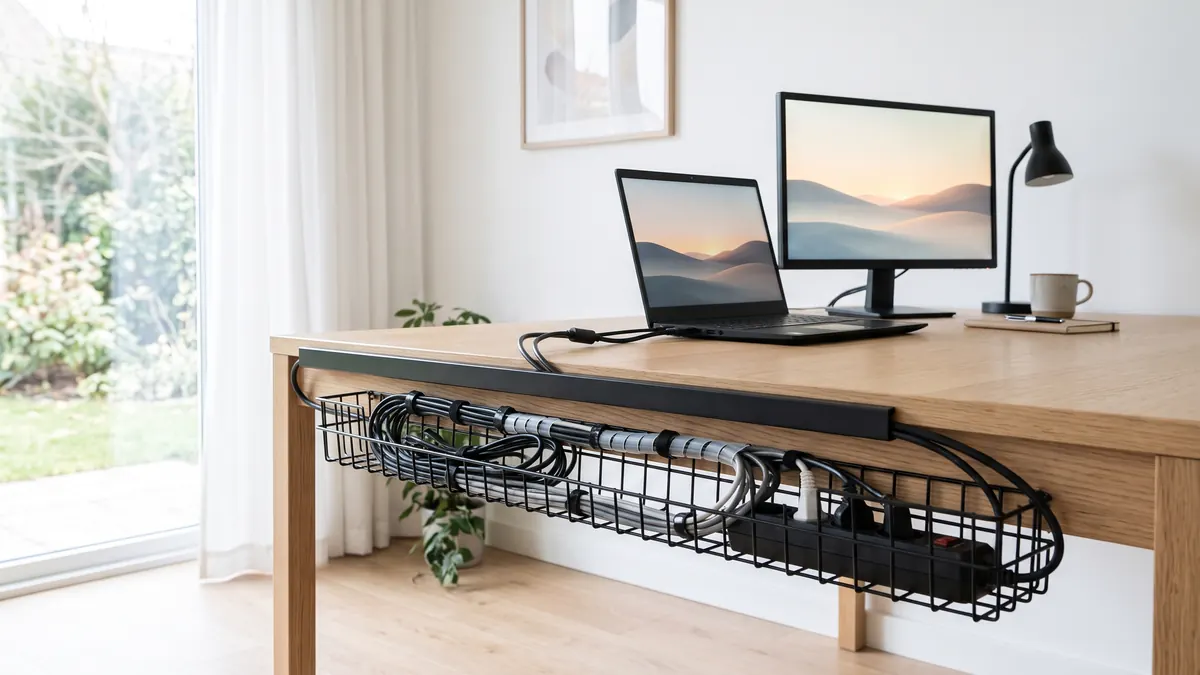
Hey there! Are you tired of dealing with a messy tangle of cables around your setup? Well, we’ve got just the solution for you! In this post, we’re going to introduce you to six must-have cable management solutions that will help you achieve a tidy and organized setup. We’ll be taking a closer look at some fantastic products like the POUT Cable Management Tray – Universal Organizer, the D-Line Cable Management Box – Large, Black, and the PivyCord-V Flex Chain Cable Management Solution. So, if you’re ready to say goodbye to cable chaos, keep reading!
A quick plan before you buy anything: unplug and lay out every cable, decide which devices really need to stay on the desk, then route power cables down one desk leg and data cables along the back edge. Trays and sleeves work best once you know which cables stay. A tray under the desk handles the power strip, and a sleeve or flexible chain keeps the bundle tidy if you use a standing desk that moves up and down.
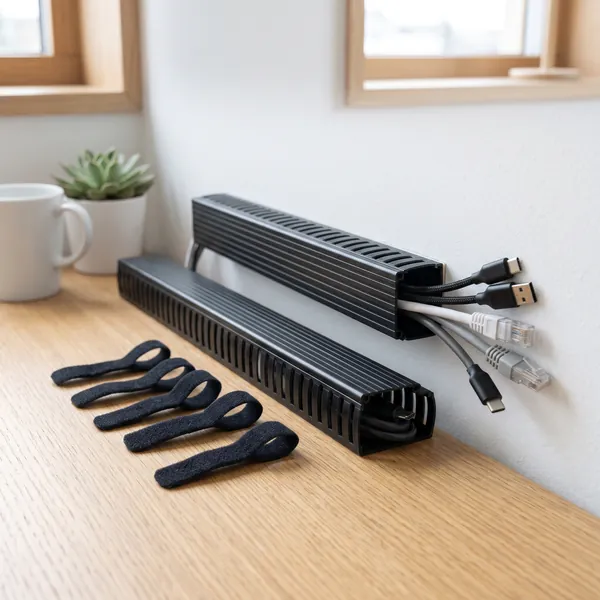


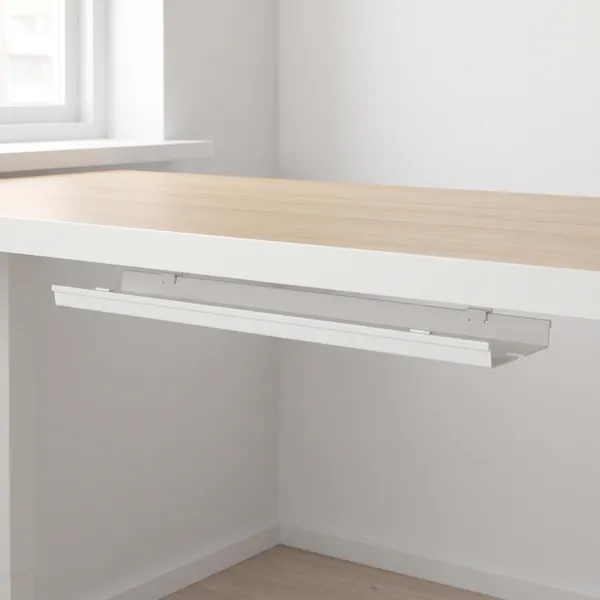
Desk Cable Management Tray – 2 Pack, Self Adhesive, Black
This Cable Management Under Desk 31.5” J Channel Cable Raceway is the perfect solution for organizing your messy cables. With a large capacity of up to 10 power cords, computer cables, ethernet cables, HDMI cables, and more, you can finally enjoy a cleaner and more organized desk space. The self-adhesive design ensures easy installation and once it’s on, it stays on. Plus, it’s strong enough to hold up to 15 cables without bending. It’s the ideal cable management tray to hide your cords and create a sleek and clutter-free workspace.
Fanoshon Cable Management Sleeve – Black
The Fanoshon PC Cable Management Sleeve Tube Desk Cord Organizer is a smart solution for keeping your computer cables organized and your room tidy. With a 7/8 inch diameter, this cable cover allows you to neatly organize 2 power cables and up to 4 USB/HDMI cables. Made of high-quality material, it ensures the safety and protection of your cables. According to reviews, this cable wrap is easy to use and of good quality. It holds cables tight and provides a clean and professional look. To install it easily, it is recommended to bundle all the cables together before applying the wrap. Customers have found it to be an effective solution for organizing messy wires, and it can hold up to 5 wires securely.
iSPELCE Under Desk Cable Management Tray (2 Pack) – Black
The iSPELCE Under Desk Cable Management is a 2-pack of cable management trays designed to clear up your workspace and organize your cables. These trays neatly store cables and power strips under your desk, keeping them away from floors and desktops, creating a comfortable and clean work area. With its large capacity, it can hold power strips, charger bricks, and bundles of excess cable, helping you declutter your office space. The trays are easy to install and sturdy enough to hold everything without sagging or feeling fragile. They are perfect for both office and home use, allowing you to conveniently manage your cables and keep your workspace tidy.
POUT Cable Management Tray – Universal Organizer
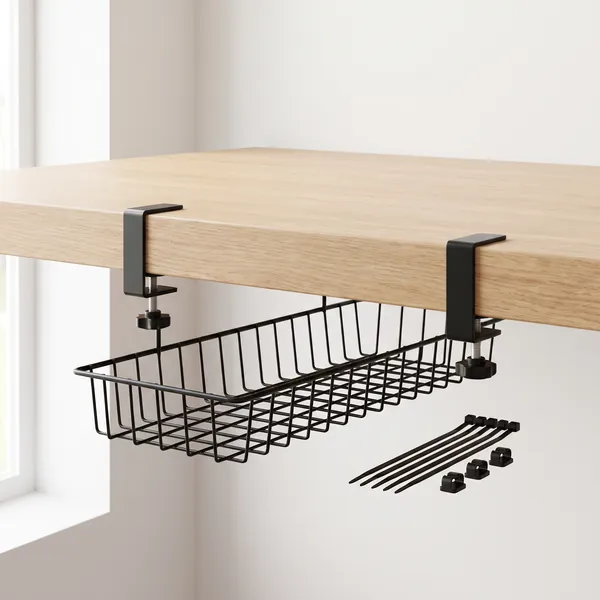
The POUT Universal Wide Under Desk Cable Management Tray Organizer is a sturdy and stylish solution to keep your cables organized and your workspace clutter-free. Made of powder-coated steel, this tray is durable and can easily fit the largest power strips and adapters. With its large capacity, you can store multiple cables while maintaining a neat appearance underneath your desk. The open design makes it easy to route and access cables, and the included mounting hardware ensures easy installation. Say goodbye to tangled cables and create an eye-pleasing and comfortable workplace with this Under-Desk Cable Management Tray!
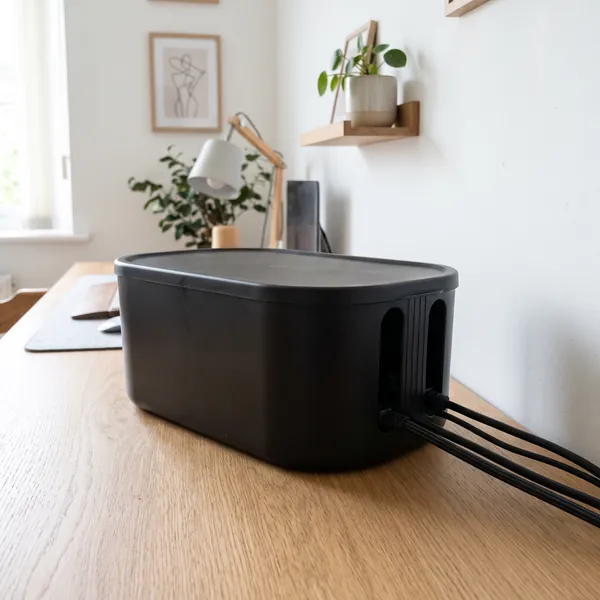
D-Line Cable Management Box – Large, Black
The D-Line Cable Management Box is a large, black plastic box designed to improve the appearance of your space by hiding popular sized power strips and excess cord clutter. It helps regain wasted space and keeps unsightly cables out of sight, making your area look neat and organized. The box is sturdy enough to protect your cables and electronics, but some users have mentioned that it is lightweight. Despite this, it does the job of keeping cords untangled and preventing accidental shut downs, making it a useful addition to your desk or office.
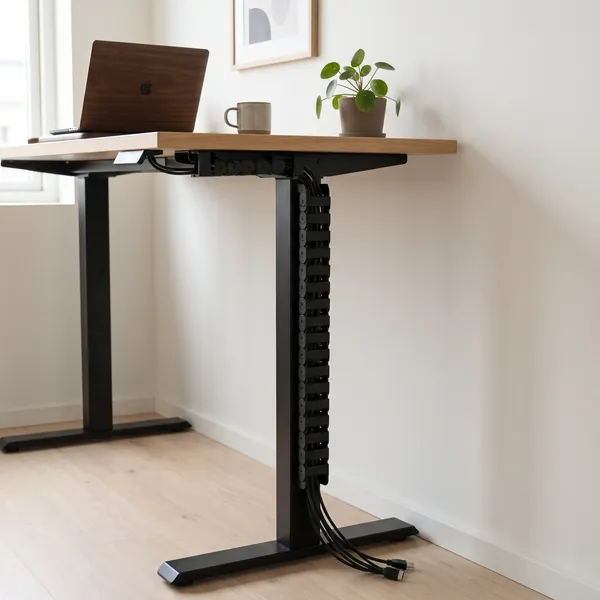
PivyCord-V Flex Chain Cable Management Solution
The Quality Clever PivyCord-V Flex Chain Raceway Cable Management Solution is the ultimate solution for keeping your workspace neat and organized. With its compact ‘S’ shape design, it protects and hides your cables, ensuring a minimum 1.9 inch bend radius at all times. The magnets and adhesives are strong, making installation a breeze. It may look small, but it can fit multiple cables, including power, USB, audio, HDMI, and Ethernet. While the cable entry point may have a bottleneck, it still gets the job done and maintains a smooth bend as you raise and lower your desk. Overall, it’s a great investment for anyone with a sit-stand variable height desk.
Explore other options

Affordable Options for Tidy and Tangle-Free Cables
- Cable Clips: These are small plastic or metal clips that can be attached to surfaces such as desks, walls, or cabinets to hold cables in place.
- Cable Sleeves: These are flexible tubes that can be used to bundle multiple cables together and hide them from view.
- Cable Ties: These are commonly used to secure and organize cables. They are usually made of nylon and come in various lengths and widths.
- Cable Management Box: These are boxes designed to hide and organize multiple cables. They usually have multiple openings for cables to enter and exit, and provide a clean and tidy look.
- Cable Management Sleeve: This is a flexible fabric sleeve that can be wrapped around a bundle of cables to keep them organized and prevent tangling.
- Cable Raceway: These are plastic or metal channels that can be mounted on walls or under desks to conceal and protect cables.
- Cable Organizer Clips: These are adhesive-backed clips that can be stuck to surfaces to hold cables in place. They come in various shapes and sizes.
- Cable Management Desk Grommet: This is a round or rectangular plastic or metal piece that is installed on the surface of a desk or table. It provides a hole through which cables can be routed, keeping them organized and out of sight.
- Please note that these price ranges are approximate and may vary depending on the brand, quality, and where you purchase the products
Getting organized has never been easier – Here’s how to use our Cable Management Solutions!
- Start by identifying the cables: Take a look at the cables you want to organize. Identify the different types of cables, such as power cords, HDMI cables, and USB cables. This will help you plan your cable management solution more effectively
- Use cable clips or ties: Invest in cable clips or ties to keep your cables organized. These small accessories can be easily attached to your desk, wall, or any other surface. Use them to secure your cables neatly, preventing them from tangling or getting in the way
- Label the cables: To avoid confusion, label your cables. Use adhesive labels or colored tape to identify each cable. This will make it easier for you to recognize which cable belongs to which device, especially if you have multiple cables connected in the same area
- Remember, cable management solutions are meant to make your setup more organized and less cluttered. By following these tips, you’ll be well on your way to having a clean and tidy cable arrangement
How to organize your cables, step by step
The products above do the heavy lifting. This routine puts them to work, from a tangled pile to a tidy setup.
- Gather all your cables. Collect every cable you need to organize, including power cords, HDMI cables and USB cables. Check your devices, drawers and storage areas for hidden ones, then put them all in one central place.
- Sort and label them. Group cables that belong to the same device or serve a similar function. Use cable ties or labels so you can tell which cable belongs to which device.
- Untangle them. Gently separate and straighten tangled sections by hand or with a cable organizer tool. Work through knots slowly so you do not damage the cables.
- Measure the lengths. Straighten each cable and measure it with a measuring tape or ruler. This shows how much excess cable you need to manage.
- Bundle them. Group cables with similar lengths and purposes, such as power cables or audio cables, and secure each bundle with cable ties, Velcro straps or cable sleeves.
- Use cable clips or clamps. Attach clips or clamps to your desk or wall with screws or adhesive, evenly spaced along the edge, then insert the bundled cables so they cannot slide or fall.
- Route cables behind furniture. Move the furniture away from the wall, run the bundled cables along the baseboards or behind the furniture, then push it back so the cables stay hidden.
- Label the cable ends. Put small labels or color-coded stickers near each connector so you can see at a glance which cable goes to which device.
- Add cable management accessories. Use clips along the desk edge or walls, sleeves to bundle and protect several cables, and raceways along the baseboards or behind furniture to hide cables completely.
- Maintain and adjust. When you add or remove a device, update your setup and re-tidy any loose or tangled cables.
Find the answers to your cable chaos woes here!
Are there any cable management solutions that are particularly effective for managing large numbers of cables?
Yes, there are several cable management solutions that are specifically designed to effectively manage large numbers of cables. One popular option is cable trays, which are metal or plastic structures that can hold and route multiple cables. They are usually mounted on walls or ceilings and provide a neat and organized way to support and segregate cables.
Another effective solution is cable raceways, which are channels that can be mounted on walls or floors to enclose and conceal cables. They come in various sizes and can accommodate a significant number of cables, keeping them organized and preventing tangling.
Additionally, cable management racks or cabinets are commonly used for large-scale cable management. These racks provide ample space for multiple cables and often feature built-in cable management accessories like cable ties, hooks, and shelves. They help keep cables organized, easily accessible, and reduce the risk of damage.
It’s important to assess the specific needs of your setup and consider factors like cable length, accessibility, and future expansion when choosing the most appropriate cable management solution for managing large numbers of cables.
What are the different types of cable management solutions available?
There are several different types of cable management solutions available to help keep your cables organized and tidy. Some common options include cable ties or zip ties, cable clips or clamps, cable sleeves or covers, cable trays or racks, and cable management boxes. Cable ties or zip ties are small plastic strips that can be tightened around cables to hold them together. Cable clips or clamps can be attached to walls or desks to keep cables in place. Cable sleeves or covers are flexible tubes that can wrap around multiple cables to keep them neat and protected. Cable trays or racks are typically used in larger setups to hold and route cables. Cable management boxes are containers that can hide and store excess cables. These solutions vary in terms of their functionality and design, so you can choose the one that best suits your needs and preferences.
How easy is it to install and use a cable management solution?
Installing and using a cable management solution can be relatively easy, depending on the specific solution you choose. There are different types of cable management options available, ranging from simple cable clips to more complex cable trays or raceways.
For simple cable clips or adhesive cable holders, all you usually need to do is peel off the backing and stick them to a clean surface. Then, you can easily insert and route your cables through the clips, keeping them organized and preventing tangling.
More advanced options like cable trays or raceways may require a bit more effort. You will typically have to mount them to a wall or under a desk using screws or adhesive. Once installed, you can easily route your cables through the designated channels, ensuring a neat and organized appearance.
To use a cable management solution effectively, you’ll need to gather and group your cables beforehand. This will make it easier to identify which cables go where and prevent confusion during the installation process. Keeping cables organized and properly labeled will also make it simpler to troubleshoot or make changes in the future.
Overall, the ease of installing and using a cable management solution depends on the complexity of the solution you choose and the number of cables you need to manage. However, with the right tools and a bit of patience, you should be able to achieve a tidy and efficient cable management setup.
Are there any cable management solutions that allow for easy access and repositioning of cables when needed?
Yes, there are several cable management solutions available that allow for easy access and repositioning of cables when needed. One common option is the use of cable clips or cable organizers with adhesive backing. These can be easily attached to surfaces such as walls or desks, and you can simply snap or slide the cables in and out as needed.
Another solution is the use of cable sleeves or cable management boxes. Cable sleeves are flexible and expandable tubes that can hold multiple cables together, keeping them neat and organized. They often have a zipper or Velcro closure, allowing you to easily access and reposition individual cables.
Cable management boxes, on the other hand, are larger containers with multiple openings or holes for cables to pass through. These boxes can be placed on the floor or mounted on walls, and they provide a tidy and accessible solution to manage and rearrange cables.
Furthermore, there are cable management solutions such as cable raceways or cable trays. Cable raceways are plastic or metal channels that can be mounted on walls or ceilings, providing a dedicated pathway for cables. They often have hinged or snap-off covers, allowing for easy access and repositioning of cables.
Cable trays are similar to raceways but are typically larger and used in commercial or industrial settings. They are open mesh or solid metal trays that can be mounted under desks or along walls, providing ample space for cables to be routed and adjusted as needed.
Overall, there are various cable management solutions available that offer easy access and repositioning of cables when required. You can choose the one that best suits your needs based on the number of cables, the location, and the level of accessibility you require.